THE CHARACTER SHEET
00Why a character sheet
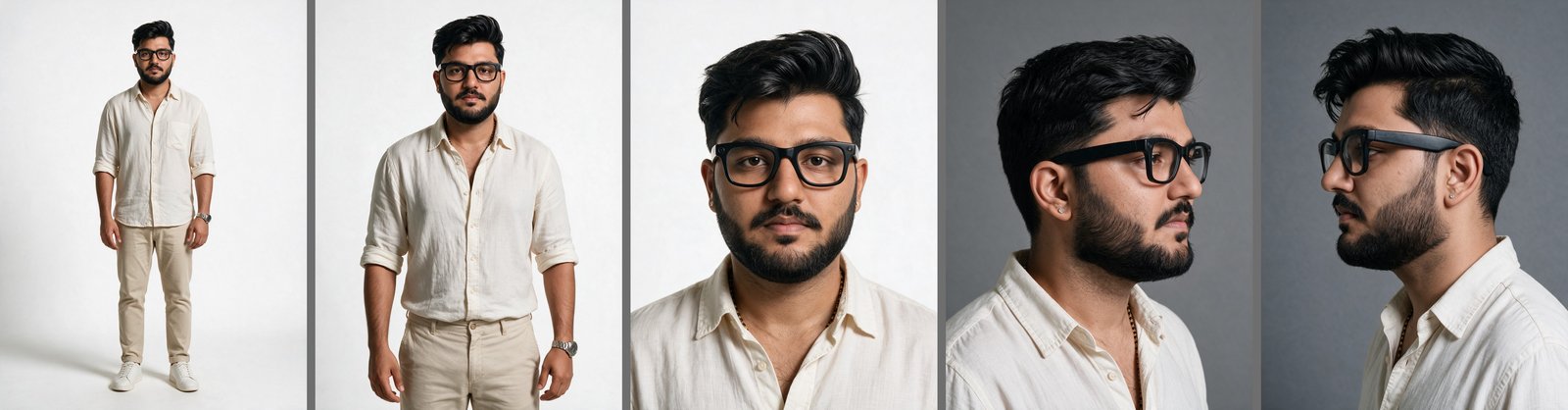
Video models forget faces. If you want to appear in AI videos and look like yourself in every shot, you need one set of locked reference images: your face from every angle, your body with real proportions, one outfit. You build it once, then every image and video points back to it. This page is the exact process I used, including the failures, so you can skip them.
01Take the right photos
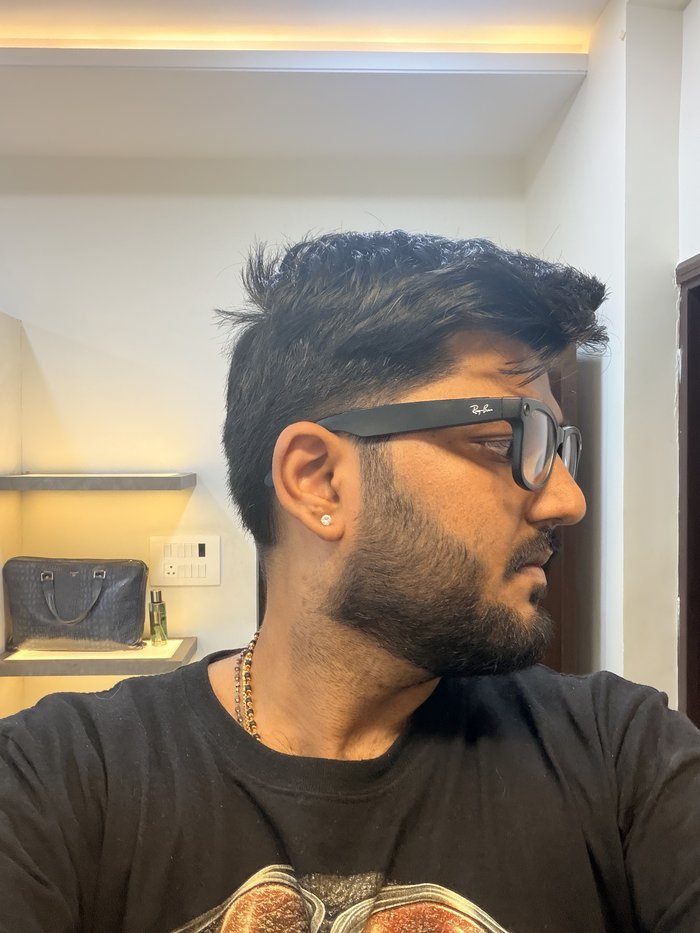
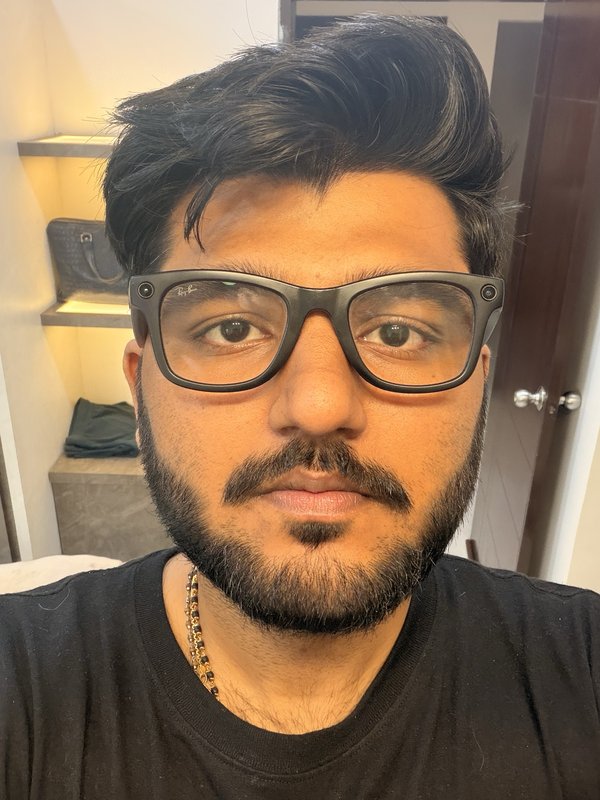
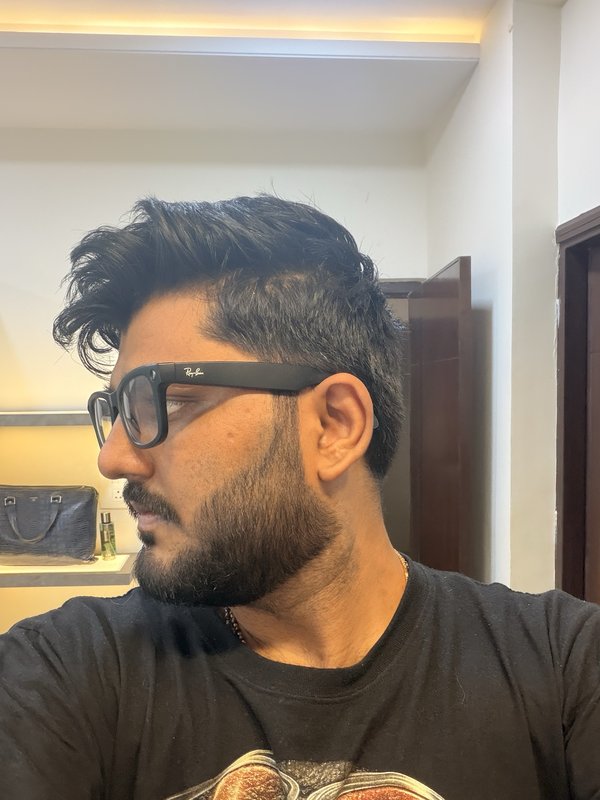
Five or six photos, phone camera is fine. What matters: front with a neutral face, front smiling, both three quarter angles, one clean profile. Same room, same light, same day. These photos are used exactly once, in the next step, and then they retire.
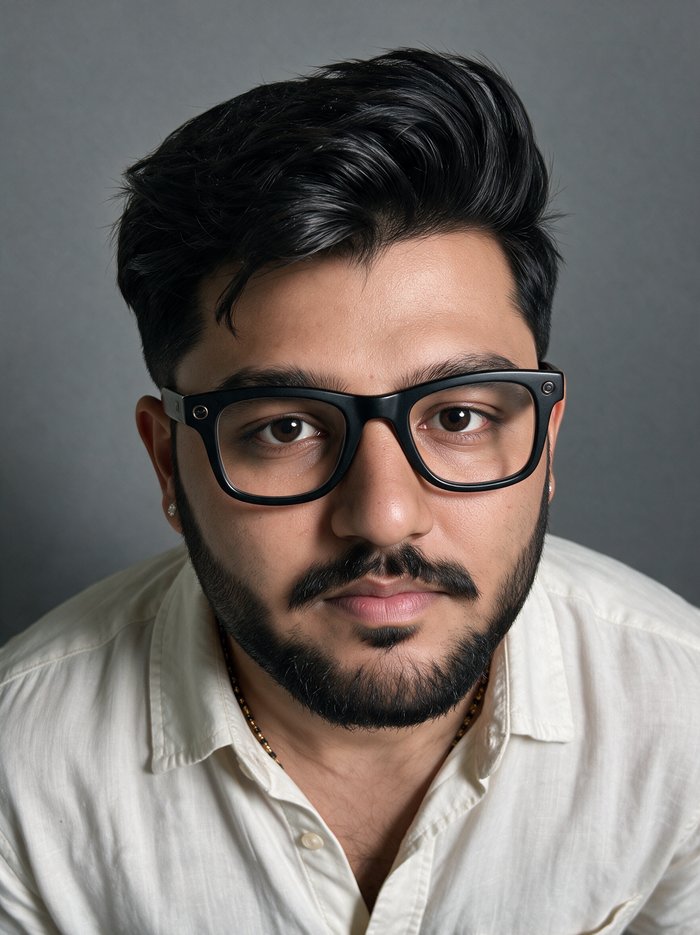
02Generate the close up master
One generation, all your photos as references, one tight chest up portrait. This becomes the single source of truth for your face. Judge it hard: if it does not make you say "that is me", run it again. Do not settle for close enough, every later image inherits this face.
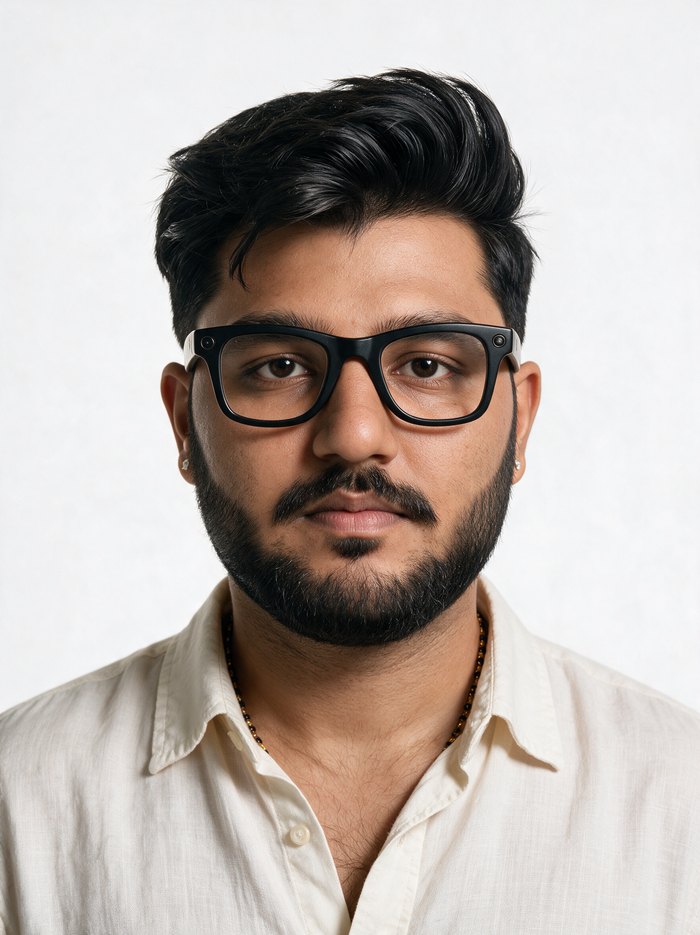
Tight chest-up studio portrait of the identical man from the reference photos, faithful likeness to the reference photos, facing the camera directly with a neutral relaxed expression and direct eye contact, head and shoulders centred, plain grey seamless studio background, professional character reference portrait. Now describe your real features precisely, for example: [age] with [skin tone], [face shape] with [jawline], [cheekbones], [nose], [lips], [eye colour and shape] with naturally muted catchlights and no artificial glare, [eyebrows], [hair colour, length, style and finish], [glasses if you wear them], [jewellery you always wear]. Then close with: visible fine skin texture with natural pores and subtle uneven tone, slight natural sheen rather than glossy retouched finish, no digital smoothing, no beauty filter, no AI-airbrushed look, matte-to-natural complexion, natural anatomy, high-end but unretouched commercial photography style, soft diffused studio lighting without harsh reflections, sharp focus on skin texture and eyes, single subject only, exactly one person, no props, no text, no watermark.
03The body, with real proportions
Two more generations: a waist up and a full body. Two rules changed everything for me. First, use ONLY the approved close up as the face reference, not your photos. Many references get averaged into a stranger. Second, lead the prompt with proportion, not looks: state your real height, weight and build, and say the head must stay large and match the reference. Full body shots love to shrink and redraw heads, this stops it.
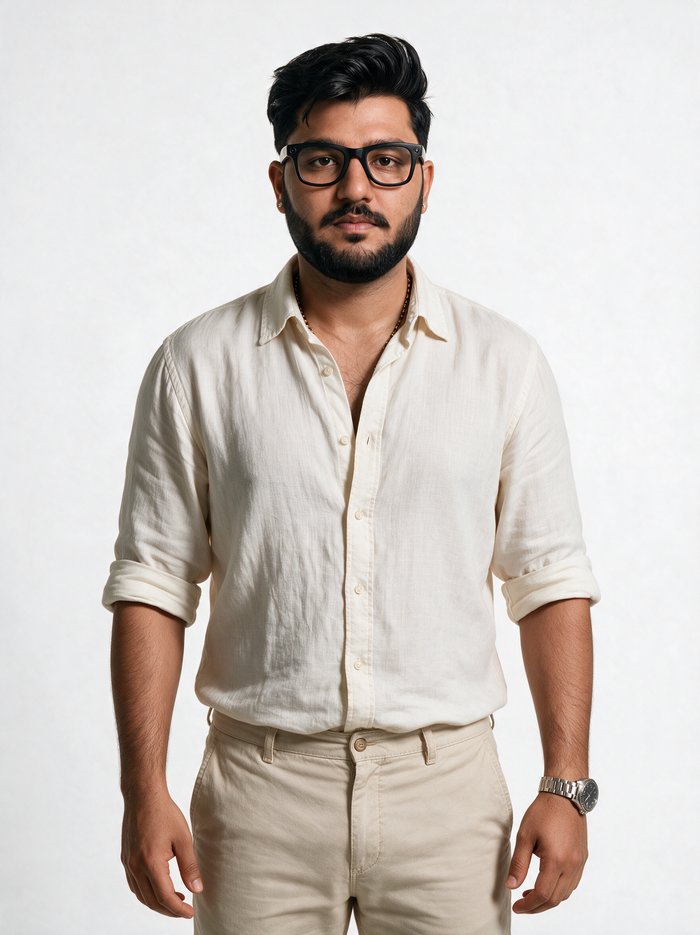
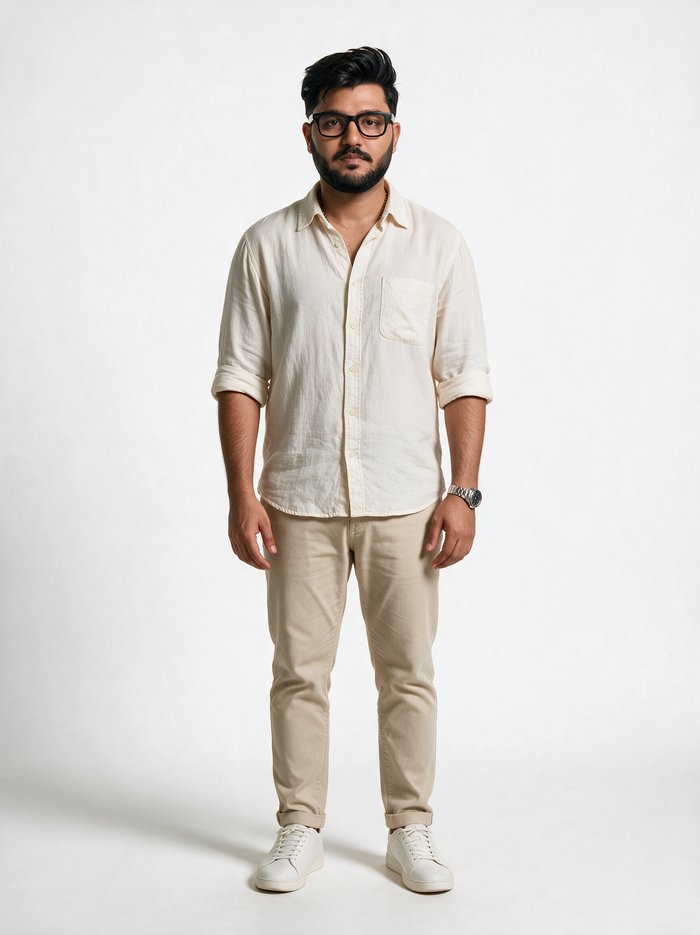
Full-body studio photograph of the exact same man as the reference image, his head and face must be an exact match to the reference portrait at the same apparent size relative to his shoulders, the head is large and prominent, the man is seven and a half heads tall, proportions of a real [height] tall man weighing [weight], a [face shape] on a [neck] over [shoulders], [your build in plain words: for example solid healthy well-proportioned build, full chest, strong arms, not athletic-lean and not overweight], standing upright in a neutral straight pose facing the camera, arms relaxed at the sides, head-to-toe with both feet visible and a little space above the hair and below the shoes, photographed with a 50mm lens from chest height so there is no wide-angle distortion and the head is not shrunk. Then your fixed features: [glasses, beard, hair, jewellery]. Then the outfit, head to toe, specific: [shirt with material and details], [trousers], [shoes], [watch]. Plain grey seamless studio background, soft diffused studio lighting, high-end unretouched commercial photography, visible skin texture, natural anatomy, sharp focus on the face, single subject only, no props, no text, no watermark, not cropped, not sitting.
04The angle set
Video needs your face from every direction the camera will see: both profiles, a low angle, a top angle. Generate them one at a time. Each one uses the master as the first reference plus your real photo of that side as the second. For the second profile, use the first approved profile as a mirror reference so both sides agree with each other.
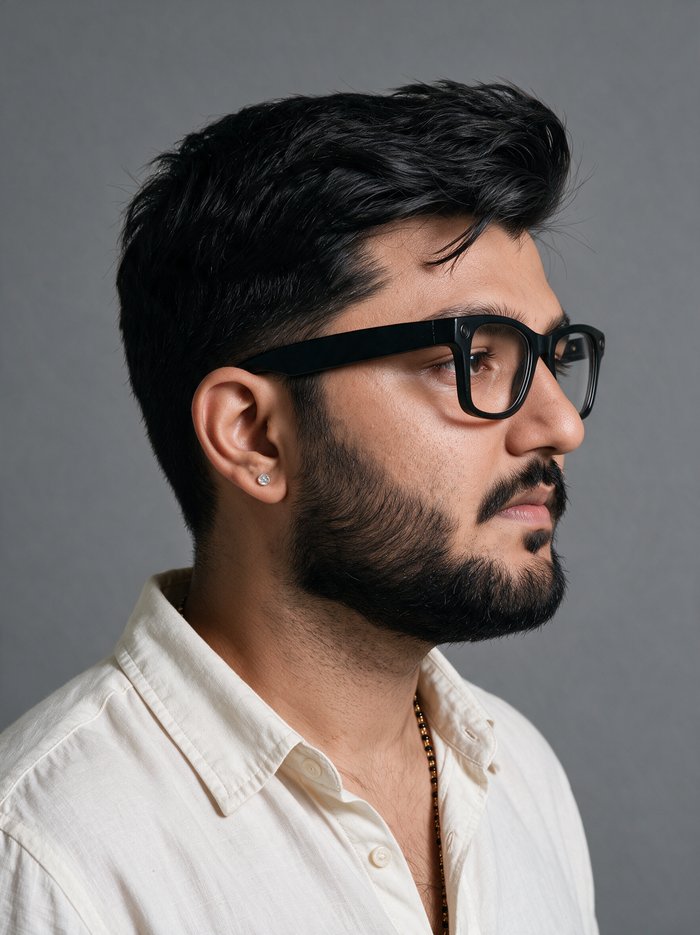
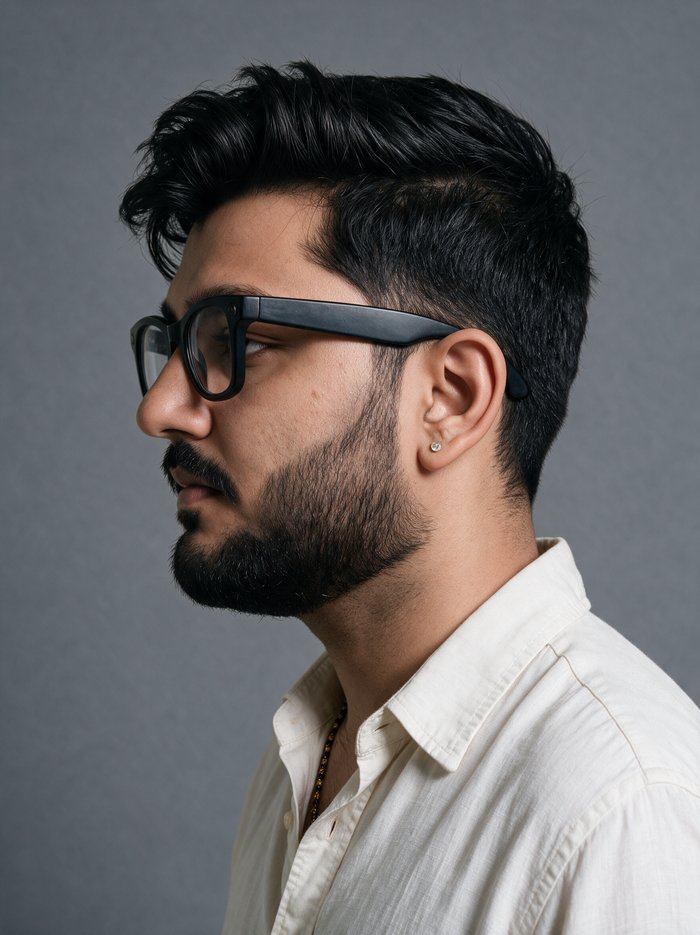
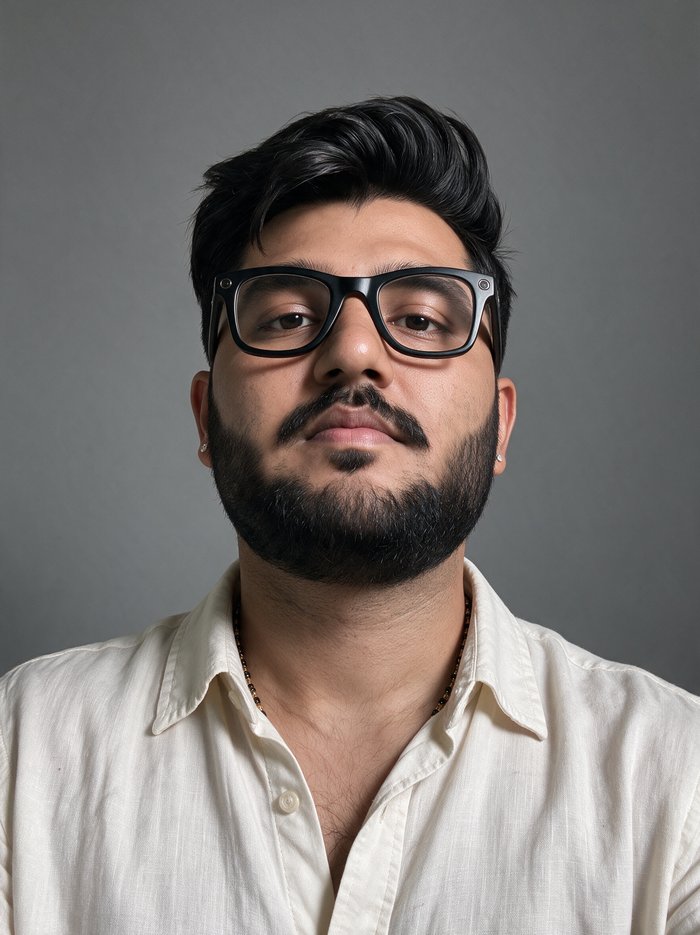
Tight chest-up studio portrait of the identical man from the reference images, exact same face as the frontal reference portrait, faithful likeness, neutral relaxed expression, mouth closed, eyes open and calm. Then your fixed features: [glasses, beard, hair, jewellery, collar of your outfit]. Then pick ONE angle line: (a) head turned about 45 degrees to his left, three-quarter view, eyes looking at the camera. (b) full side profile, head turned 90 degrees so the camera sees his ear and the line of his nose, eyes looking forward not at the camera. (c) camera slightly below eye level looking up at him, chin lifted a little, eyes to the lens. (d) camera slightly above eye level looking down at him, he looks up at the lens, top of the hair visible. Close with: plain medium-grey seamless studio background, soft diffused studio lighting without harsh reflections, unretouched natural photograph, visible fine skin texture with natural pores, no beauty filter, no digital smoothing, no airbrushing, sharp focus on the eyes, single subject only, exactly one person, no props, no text, no watermark.
05The mistake everyone makes
My first attempts asked for the whole sheet in one image: a split screen with a full body and a close up together. The close up was perfect. The full body face was a stranger. The reason is simple: in a combined sheet the face gets a few hundred pixels and the model cannot land a likeness in them. Generate every view as its own full image, then assemble the sheet yourself.
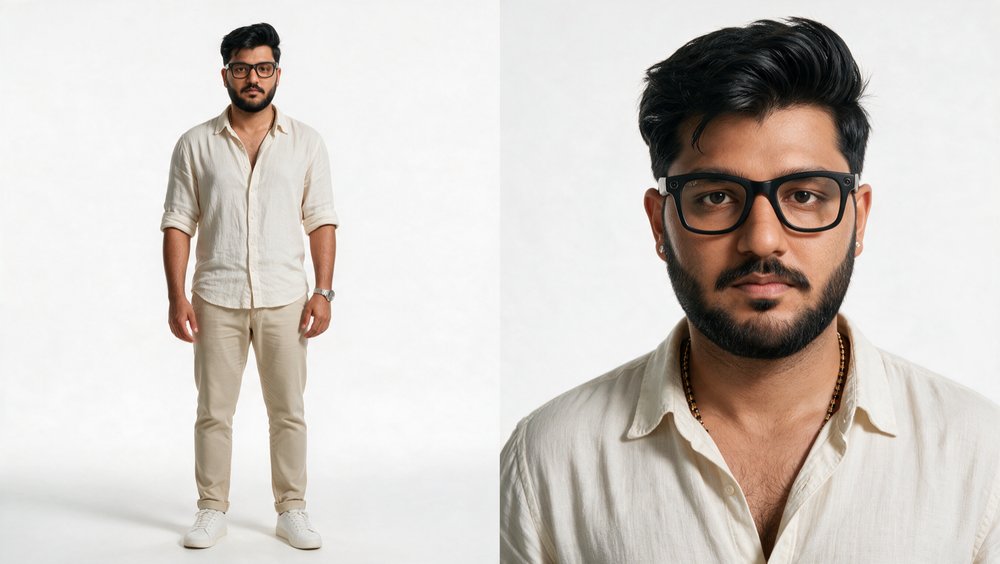
06Assemble the sheet, do not generate it
The final collage is not an AI image. Stitch your approved views side by side with any tool, at full resolution, no regeneration. That way nothing drifts and the sheet stays pixel-true to what you approved. This one file then rides along as a reference in image and video generations, and each individual view is also saved on its own for when a shot needs one exact angle.
ffmpeg -i fullbody.png -i waistup.png -i closeup.png -i profileA.png -i profileB.png -filter_complex "[0][1][2][3][4]hstack=5" charactersheet.png
07The rules that made it work
- The close up master is everything. Approve it hard, then never let another image redefine your face.
- One face reference at a time. Many photos together get averaged into someone else.
- Never generate multiple faces in one image. Small faces drift. One view per generation.
- Lead body shots with proportion: height, weight, heads-tall, lens and camera height. The face description stays out, the reference carries it.
- Neutral expression, mouth closed, in every reference. Acting belongs to the video model, not the sheet.
- Say what you want, never what you do not want. Positive phrasing wins.
- Grey seamless background for every view. Easier for models to separate you from the scene later.
- Real skin texture language in every prompt: pores, natural sheen, no beauty filter. It kills the AI-airbrushed look.
Now go build yours.
Then come back and turn it into a film.